
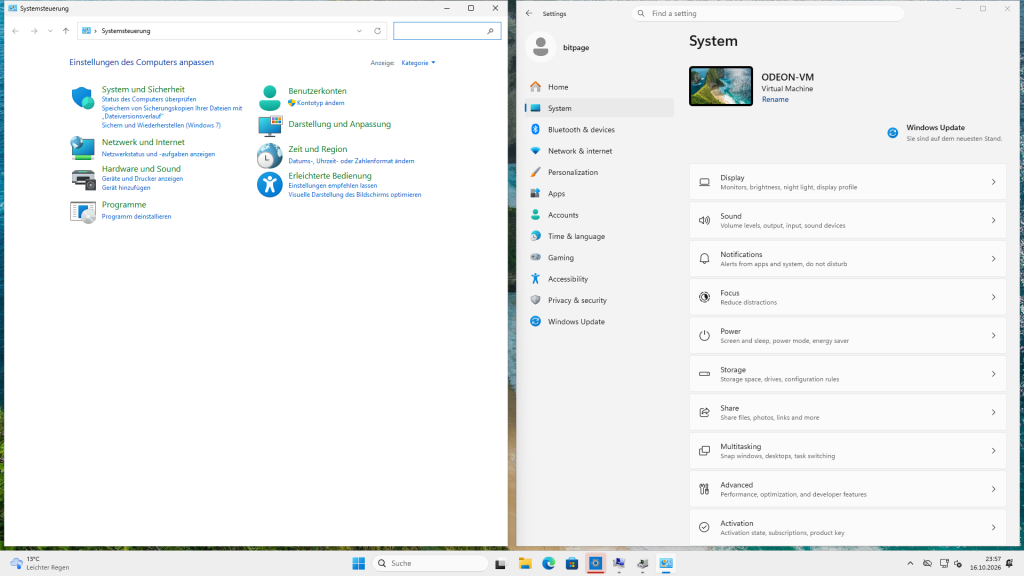
Microsoft is once again trying to get rid of the old Control Panel: a test app called Project Odeon has turned up in the Microsoft Store. It looks like the Windows 11 Settings app, but it is a standalone app in the Store. Windows Latest stumbled across it first, Pureinfotech picked up the story shortly after, and ever since, the old Control Panel is once again being carried to its grave.
I have to be honest: I’m attached to the old Control Panel. After all these years you know it by heart and you know where everything is. In Settings, on the other hand, after many a major update I first have to search for where Microsoft has hidden the function this time. It’s like the supermarket after they’ve rearranged the shelves. Still, I was curious and installed the app in a virtual machine of my own to try it out. Who knows, maybe it turns out to be the pure wisdom of UX and UI after all.
Project Odeon
According to Windows Latest, the app sits in the Store under the package name Microsoft.ProjectOdeon, is labeled “Preview” and comes from Microsoft itself. You won’t find it through the Store’s search, though.
Odeon does not replace the built-in Settings app but runs alongside it. The idea behind it is probably this: if Settings ships as an app from the Store, Microsoft can roll out changes more easily without having to wait for a big Windows update. Officially, Microsoft hasn’t confirmed the project so far.
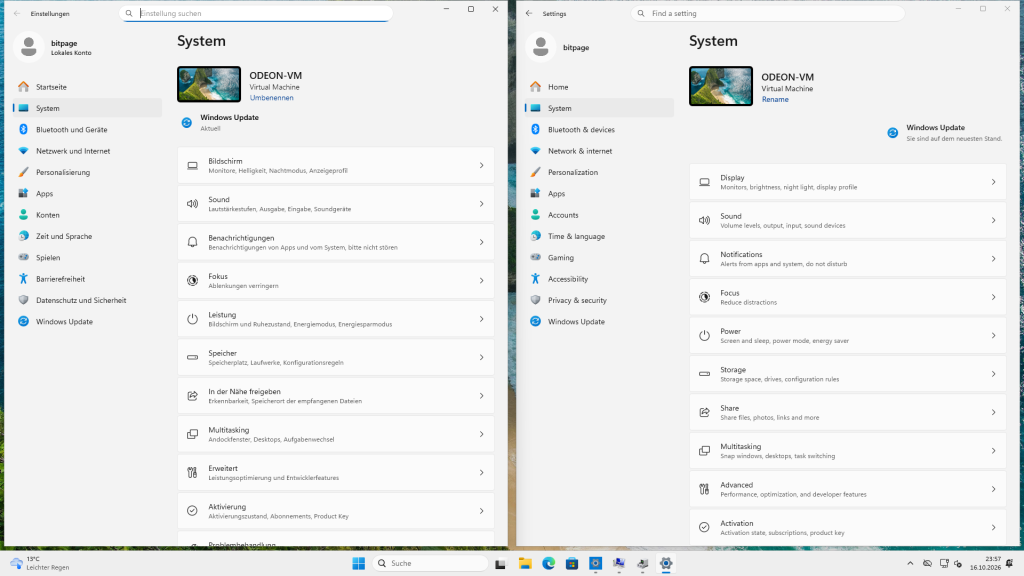
A quick look at Odeon
For the test I set up a virtual machine with the evaluation version of Windows 11 Enterprise 26H2, which Microsoft offers free of charge for testing. The app package comes straight from Microsoft’s delivery servers and is signed by Microsoft. While doing so, I noticed that version 3.0.1.0 is already up there, whereas Windows Latest had still tested 1.0.9.0. Between the two versions Microsoft swapped out the foundation completely and moved from the old UWP technology to WinUI 3.
Odeon won’t install without developer mode. Windows aborts with error 0x80073CF6 and explains that the custom capability’s SCCD requires developer mode. So the app uses a special permission that Windows has so far only let developers get away with. With developer mode switched on, the installation went through without a hitch.
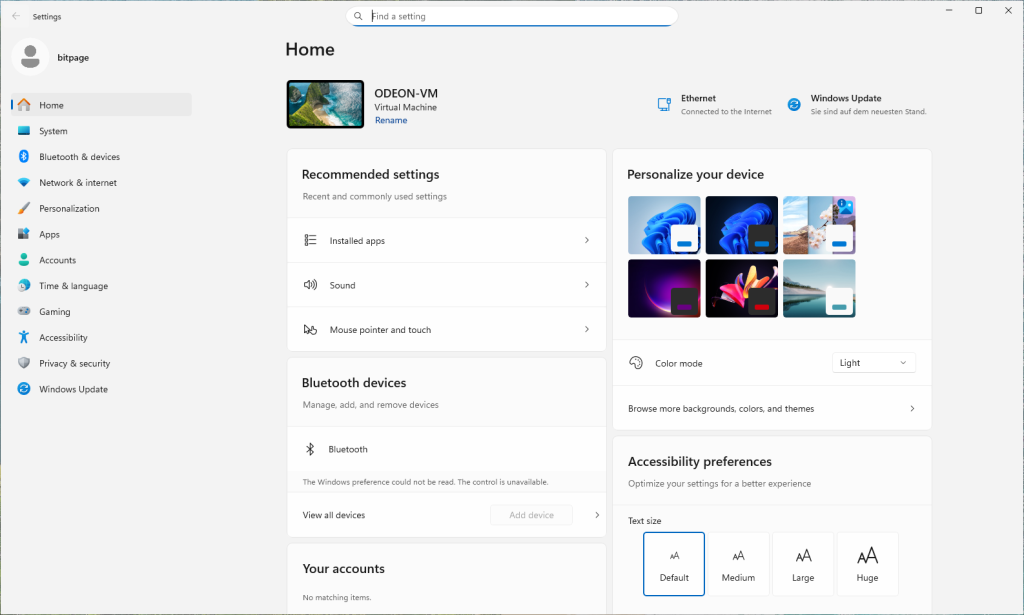
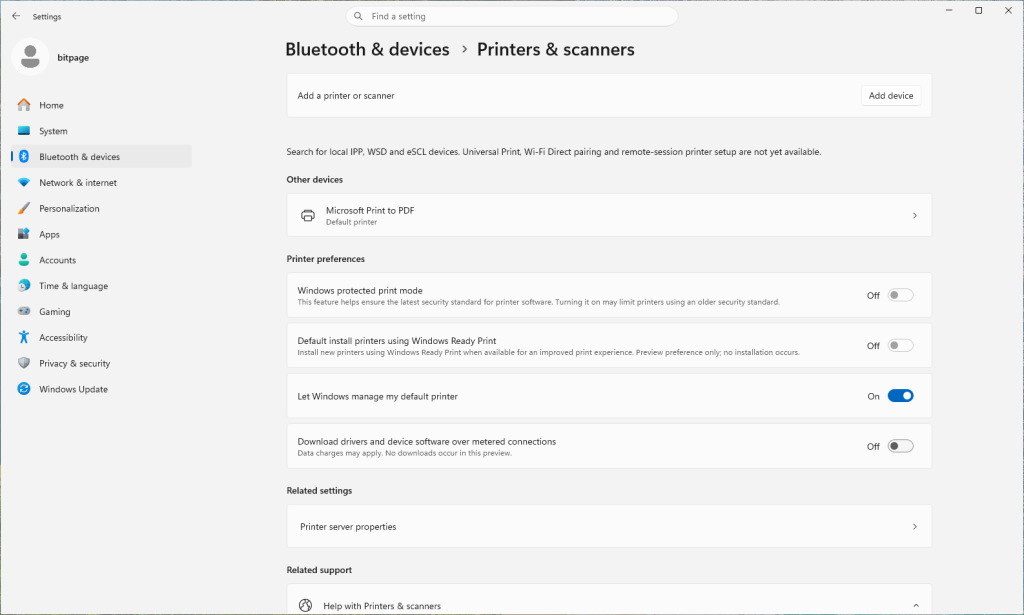
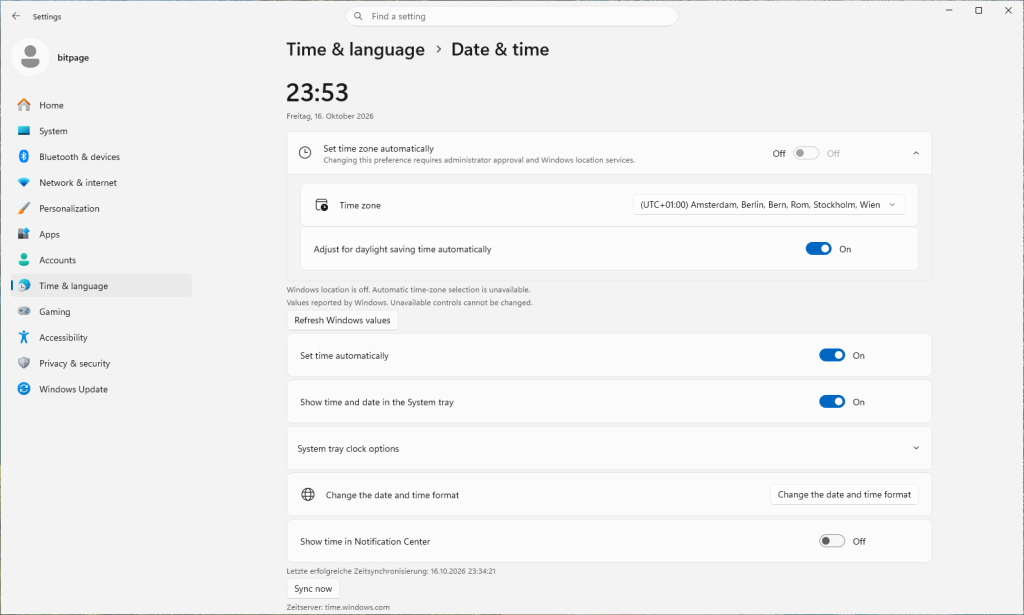
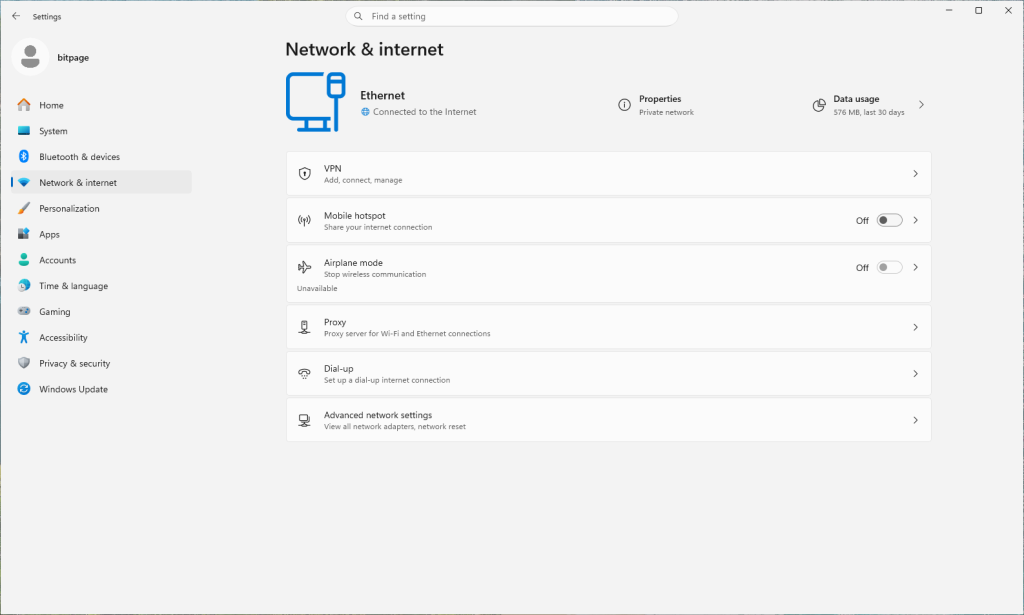
At first glance, Odeon looks like the Settings app we know. At second glance, you quickly notice that there is still a lot of construction going on. The interface is English only, but German texts from Windows pop up in between. Many pages merely display what Windows reports and explicitly point out that unavailable values cannot be changed. The printers page openly states that Universal Print, Wi-Fi Direct and remote-session setup are still missing. And under Network, even the dial-up connection made it into the new app. The future looks different, doesn’t it?
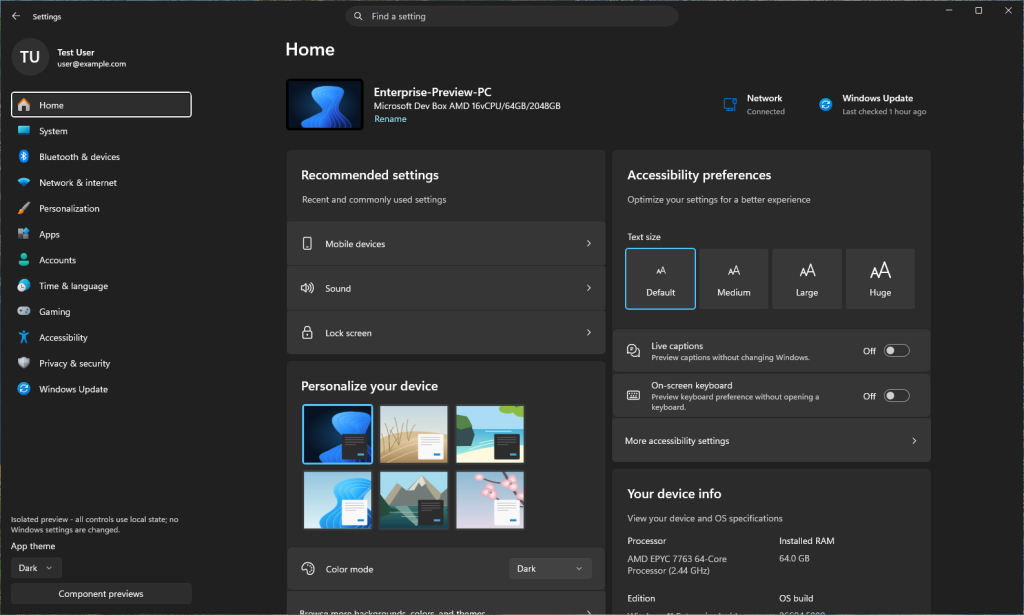
If you start Odeon with the hidden –preview parameter, you end up in a preview mode with test data. You then become a “Test User” with the address user@example.com, sitting at an “Enterprise-Preview-PC” on Microsoft Dev Box. According to a note in the app, no Windows settings are changed in this mode.
Why I’d rather stick with the old Control Panel
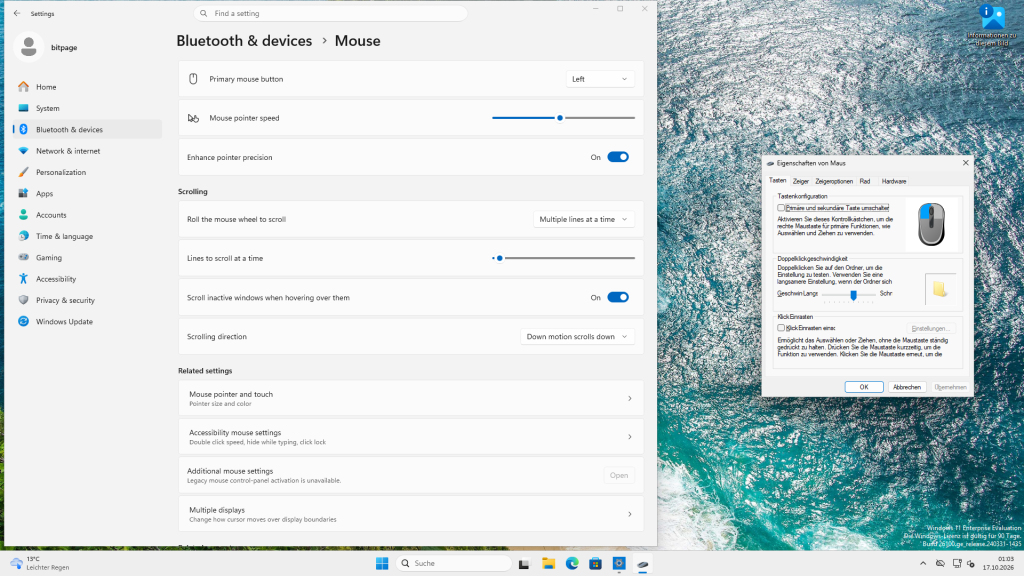
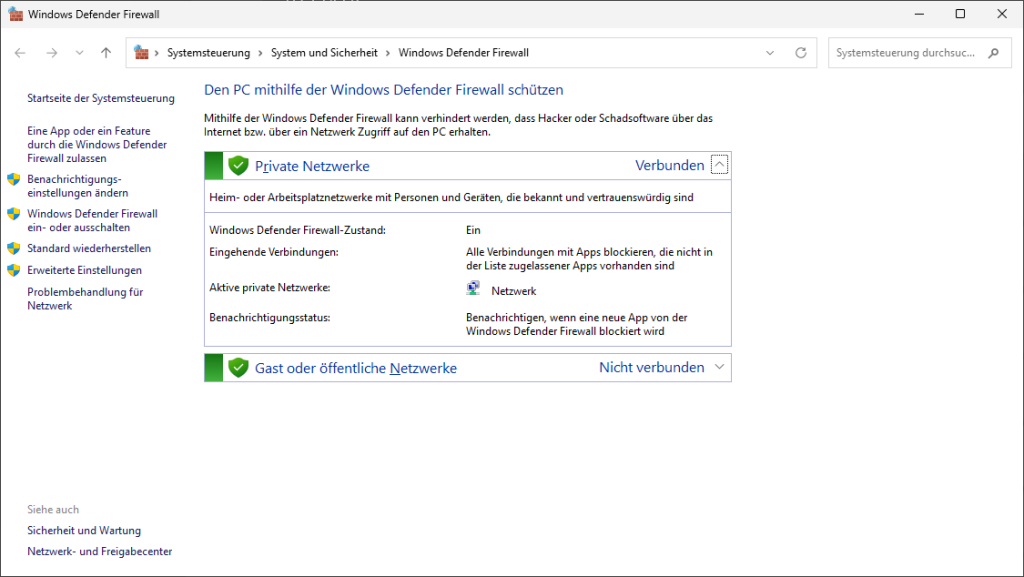
Because it simply works. In the VM I tried the classic commands, and in Windows 11 26H2, 13 out of 14 still open exactly the window you have known for years: control for the Control Panel, ncpa.cpl for Network Connections, appwiz.cpl for Programs and Features, mmsys.cpl for Sound, sysdm.cpl for System Properties, main.cpl for the mouse, and so on. Only desk.cpl now redirects to Settings. Even the steps from our 2014 guide to the Windows Firewall (in German) still work at their core today; “Advanced settings” is in the Control Panel exactly where it was back then.
The Settings app, on the other hand, is unfortunately good for a surprise every now and then. At the end of 2024, users without admin rights could no longer change the time zone in Settings on Windows 11 24H2, and Microsoft’s own workaround, as BornCity (in German) reported, was of all things the classic Control Panel. When the fix arrived in February 2025 (in German), Günter Born summed it up nicely: what luck that the old Control Panel is still on board in Windows 11 24H2.
In November 2025, Microsoft then confirmed that after updates released since July 2025, Settings can crash on some systems alongside the Start menu and the taskbar, as Deskmodder (in German) reported. And since the September 2026 update, Microsoft’s list of known issues has carried the item “Sound settings are unresponsive or unavailable” for certain USB audio devices; to this day, it is only partially fixed.
Besides, the old Control Panel probably can’t be misused as easily as a Game Pass advertising platform (in German), which is what Microsoft turned the home page of the new Settings app into in 2024.
On top of that, Odeon would move Settings into the Store. We saw in January what that can mean, when a problem on the Microsoft Store servers stopped Notepad, Paint, the Snipping Tool and even Windows Security from opening for many users. The Control Panel doesn’t depend on any server. It’s simply there.
Since when has Microsoft wanted to get rid of the Control Panel anyway?
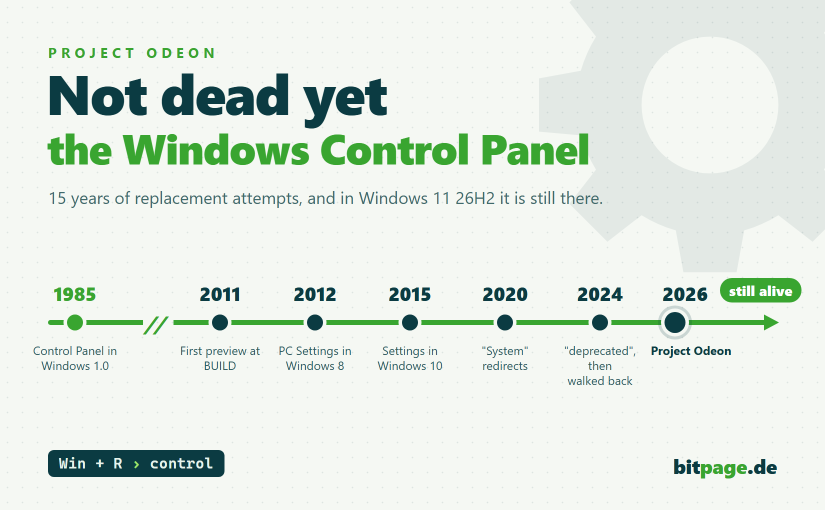
The Control Panel has been around since Windows 1.0, that is, since 1985. I wasn’t even born then, by the way. The first serious attempt to replace it came with Windows 8. Does anyone still remember? At the BUILD developer conference in September 2011, Microsoft presented the first preview, and Brandon LeBlanc wrote on the Windows Blog about a “Metro style Control Panel app”, a Control Panel in the new tile design. In October 2012, Windows 8 then brought PC Settings, but the old Control Panel stayed. By the way, we also covered what was new in Windows 8 (in German) here on bitpage back then.
With Windows 10, PC Settings became Settings as we know it today in 2015. In October 2015, the very same Brandon LeBlanc wrote on Twitter that “Settings will eventually supersede Control Panel”. WindowsArea and BornCity (both in German) already saw the end of the Control Panel coming back then. In October 2016, the Control Panel was dropped from the menu you open with Windows+X in a Windows 10 preview build. In 2020, Microsoft redirected the Control Panel’s “System” page to the About page in Settings. And who announced that on the Windows Insider Blog? Brandon LeBlanc again, along with the promise that more improvements would follow to bring Settings closer to the Control Panel.
In August 2024, a Microsoft support page stated in black and white that the Control Panel was being deprecated in favor of the Settings app (in German). Shortly afterwards, the sentence was toned down. Since then, it has merely said that many settings are in the process of being migrated to the Settings app, as Pureinfotech documented with both wordings.
In April 2026, March Rogers, Partner Director of Design at Microsoft, wrote on X that the team is gradually bringing all the old Control Panel elements into Settings, and deliberately carefully so, because a great many network and printer drivers depend on them. He didn’t name a date either.
And as recently as August, Windows Latest found that adding a printer manually or transferring files via Bluetooth still lands you in old dialogs.
Counting from the first attempt in September 2011, Microsoft has now been trying to replace the Control Panel for a good 15 years. The Control Panel itself is now almost 41 years old. At some point, I wouldn’t want to name a date anymore either.
Reports of its death are greatly exaggerated
The Control Panel wouldn’t be the first part of Windows that Microsoft has tried to bury: in 2017, Paint was on the list of features to be deprecated with the Fall Creators Update, and Paint 3D was supposed to take over. After quite an outcry, Microsoft wrote “MS Paint is here to stay” on the Windows Blog, and BornCity has archived the deprecation list from back then.
Paint even got layers in 2023 (in German), while Paint 3D disappeared from the Store (in German) in November 2024.
As for the Snipping Tool, the Windows Insider Blog said in 2018 that it would be removed in a future update, with Snip & Sketch taking over. With Windows 11, it turned out exactly the other way round: the Snipping Tool stayed and its successor app went. And when PowerShell replaced the Command Prompt in the Windows+X menu in 2016, Microsoft even published a blog post in early 2017 titled “Rumors of Cmd’s death have been greatly exaggerated”. Disk Cleanup was declared deprecated (in German) in 2018 in favor of Storage Sense, and yet even Odeon still links to it in its help section.
Of course, Microsoft has followed through before. WordPad has been gone for good (in German) since Windows 11 24H2, and Internet Explorer was switched off (in German) in February 2023. To be honest, I hadn’t expected that to happen so soon, since Internet Explorer was deeply anchored in many parts of the system. For both of them, however, a full replacement had long been available. For the Control Panel, that still isn’t the case to this day, as Odeon shows quite nicely, with even version 3.0.1.0 still calling up plenty of legacy dialogs.
What about you? Do you still use the Control Panel regularly, or have you long since got used to “Settings”? Let me know in the comments.
This post is also available in:  Deutsch
